
No calculations yet.
Calculations run in your browser. Verify important results independently.
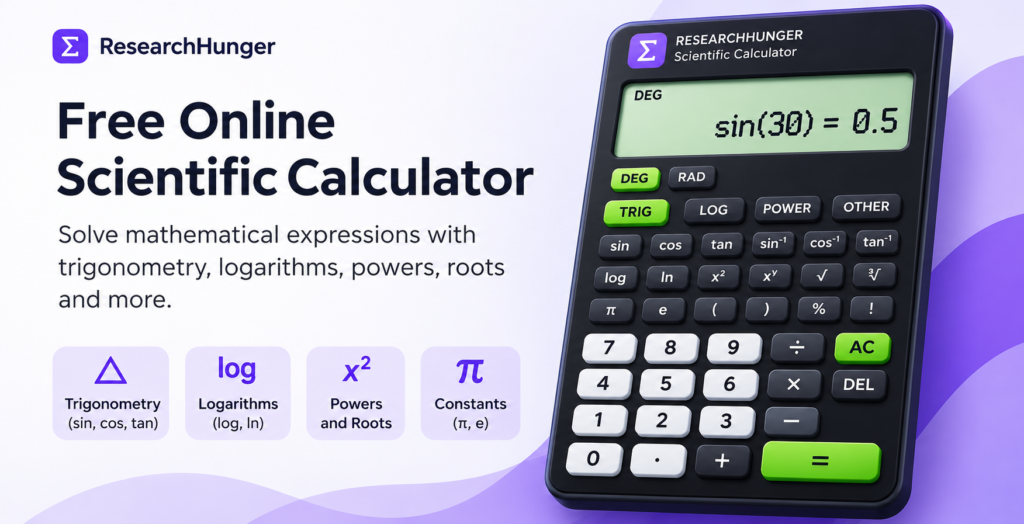
Free Online Scientific Calculator
Use our free scientific calculator to solve mathematical calculations quickly and easily. Whether you are a student, teacher, engineer or simply need help with everyday calculations, this online calculator provides useful mathematical functions in one place.
Switch between Simple and Scientific modes depending on the calculation you need. The calculator works directly in your browser, so you don’t need to install any software.
Scientific Calculator Features
Our online scientific calculator includes a range of mathematical functions:
- Basic arithmetic: Addition, subtraction, multiplication and division.
- Trigonometry: Calculate sine (sin), cosine (cos) and tangent (tan), including inverse trigonometric functions.
- Logarithms: Work with common logarithms (log) and natural logarithms (ln).
- Powers and roots: Calculate exponents and square roots.
- Mathematical constants: Use important constants such as pi (π) and Euler’s number (e).
- Additional functions: Use parentheses, percentages, factorials and other supported operations.
How to Use the Scientific Calculator
- Select Scientific mode at the top of the calculator.
- Choose the mathematical function you need.
- Enter numbers and mathematical expressions using the buttons.
- Select the equals (=) button to calculate your result.
- Use the clear or delete button to start a new calculation or correct your expression.
For trigonometric calculations, check whether the calculator is set to Degrees (DEG) or Radians (RAD) before calculating.
Simple Calculator or Scientific Calculator?
The Simple mode is suitable for everyday calculations such as addition, subtraction, multiplication, division and percentages.
The Scientific mode provides additional mathematical functions, making it useful for more advanced calculations involving trigonometry, logarithms, powers and roots.
You can switch between both modes whenever you need.
Who Can Use This Scientific Calculator?
This calculator can be useful for:
- Students practising mathematics and solving homework problems.
- Teachers demonstrating mathematical operations.
- Engineers and professionals performing routine calculations.
- Anyone who needs quick access to basic or advanced mathematical functions.
Frequently Asked Questions
1. Is this scientific calculator free?
Yes. You can use the ResearchHunger Scientific Calculator for free without installing an application.
2. Can I use this calculator on my mobile phone?
Yes. You can access the calculator through a modern mobile browser, tablet or desktop browser.
3. What is the difference between DEG and RAD?
DEG means degrees, while RAD means radians. Both are units used to measure angles. Select the appropriate mode before performing trigonometric calculations.
4. Can I calculate sine, cosine and tangent?
Yes. Scientific mode supports trigonometric functions such as sin, cos and tan, along with supported inverse functions.
5. Does the calculator require installation?
No. Calculations run directly in your browser. You do not need to download or install a separate application.
6. Can I use it for everyday calculations?
Yes. Switch to Simple mode for everyday arithmetic and basic calculations.
Note: This calculator is designed for general mathematical assistance. Verify important or high-precision results independently.
How to Use the Scientific Calculator
Using this free scientific calculator is simple. Follow these steps to perform your calculations:
- Choose Simple mode for everyday arithmetic or Scientific mode for advanced mathematical operations.
- Enter numbers using the calculator keypad.
- Select the mathematical operation or function you want to use.
- For trigonometric calculations, choose DEG for degrees or RAD for radians.
- Press the equals button to view your result.
You can also use brackets to organize complex mathematical expressions and get more accurate results.
Who Can Use an Online Scientific Calculator?
A scientific calculator is useful for students, teachers, engineers and anyone who needs to solve mathematical problems.
- Students: Solve algebra, trigonometry, logarithms and other mathematics problems.
- Teachers: Demonstrate mathematical functions and verify calculations.
- Engineers: Perform everyday mathematical calculations and check numerical results.
- General users: Calculate percentages, powers, square roots and other common expressions.
Scientific Calculator vs Simple Calculator
A simple calculator is designed for basic operations such as addition, subtraction, multiplication and division. A scientific calculator includes these operations along with advanced functions such as trigonometry, logarithms, powers, roots and brackets.
Choose Simple mode when you need quick everyday calculations. Switch to Scientific mode when working with more advanced mathematical expressions.
Calculate More with ResearchHunger
ResearchHunger provides useful online tools to make everyday tasks easier. You can also try our Age Calculator to calculate your exact age in years, months and days, or visit our Calculators page to explore available calculation tools.
For additional mathematics learning, visit Khan Academy’s mathematics lessons.
Note: This online scientific calculator is intended for general mathematical assistance. Always verify important calculations independently, especially when accuracy is critical.