
AI Background Remover
Remove backgrounds and create a new look for your images.
Remove Image Backgrounds Online for Free
Make your images look clean and professional with the free AI Background Remover from ResearchHunger. Remove unwanted backgrounds, create transparent images, choose new background colours or upload your own background image.
You can edit your images directly in your browser without installing additional software.
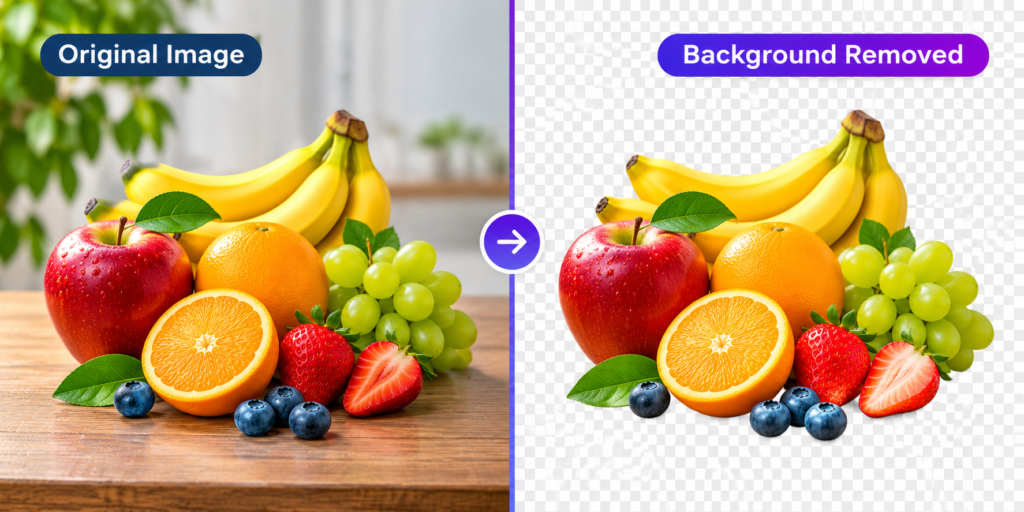
How to Remove an Image Background Online
Removing an image background is simple with the free AI Background Remover from ResearchHunger.
- Upload an image from your device. You can upload up to five images at once.
- Select the image you want to edit.
- Click the Remove Background button and wait for processing to finish.
- Choose a transparent background, a solid colour, or upload another image as your new background.
- Use the editing tools to crop, resize, or add text to your image.
- Select PNG, JPG, or WebP and download your finished image.
Features of Our Free AI Background Remover
Remove Backgrounds Automatically
Remove unwanted backgrounds from your images directly in your browser with our background removal tool.
Add Custom Background Colours
Choose from the available colour palette or select a custom colour to give your image a fresh appearance.
Replace the Background with Another Image
Upload a new background image and combine it with your foreground subject to create a different look.
Edit, Crop and Resize Images
Adjust image dimensions, crop your pictures, and prepare them for different uses.
Add Multiple Text Layers
Add text to your images, customise text colours and position your text where you want it.
Download in Different Formats
Export your edited images in PNG, JPG, or WebP format, depending on your requirements.
Process Multiple Images
Upload and work with up to five images in one session.
Where Can You Use a Background Remover?
A background remover can help with many everyday image editing tasks:
- Product photography: Prepare product images for online stores.
- Social media: Create clean images for posts and promotional graphics.
- Profile pictures: Remove distracting backgrounds from portraits.
- Presentations: Create transparent images for slides and documents.
- Marketing materials: Prepare images for banners, posters and advertisements.
Why Use ResearchHunger’s Background Remover?
ResearchHunger provides a convenient online image editing experience without requiring you to install desktop software. You can upload images, remove backgrounds, customise the result and download your edited files from one place.
The tool supports common image formats and works on desktop and mobile devices.
Frequently Asked Questions
Is the AI Background Remover free?
Yes. You can use the ResearchHunger Background Remover without paying for a subscription.
How many images can I upload at once?
You can upload up to five images in one session.
Can I make an image background transparent?
Yes. You can choose the transparent background option and download the result as a PNG file.
Can I add a different background?
Yes. You can choose a solid colour or upload another image to use as the new background.
Which download formats are available?
You can download your edited image in PNG, JPG or WebP format.
Can I add text to my edited image?
Yes. The editor supports multiple text layers, text colour customisation and positioning.
Does the tool work on mobile phones?
Yes. The editor is designed to work on desktop and mobile browsers.
Do I need to install any software?
No. You can use the online tool directly from your browser.
Explore More Free Online Tools
Explore more useful tools from ResearchHunger:
- Try our Free Age Calculator to calculate your exact age.
- Use our Scientific Calculator for advanced mathematical calculations.
- Visit All Online Tools to discover more useful tools and calculators.